![256.png]](https://suporte.logcomex.com/hs-fs/hubfs/256.png?width=40&height=40&name=256.png)
To ensure your account security, you can change your password at any time through the platform. Follow the steps below:
-
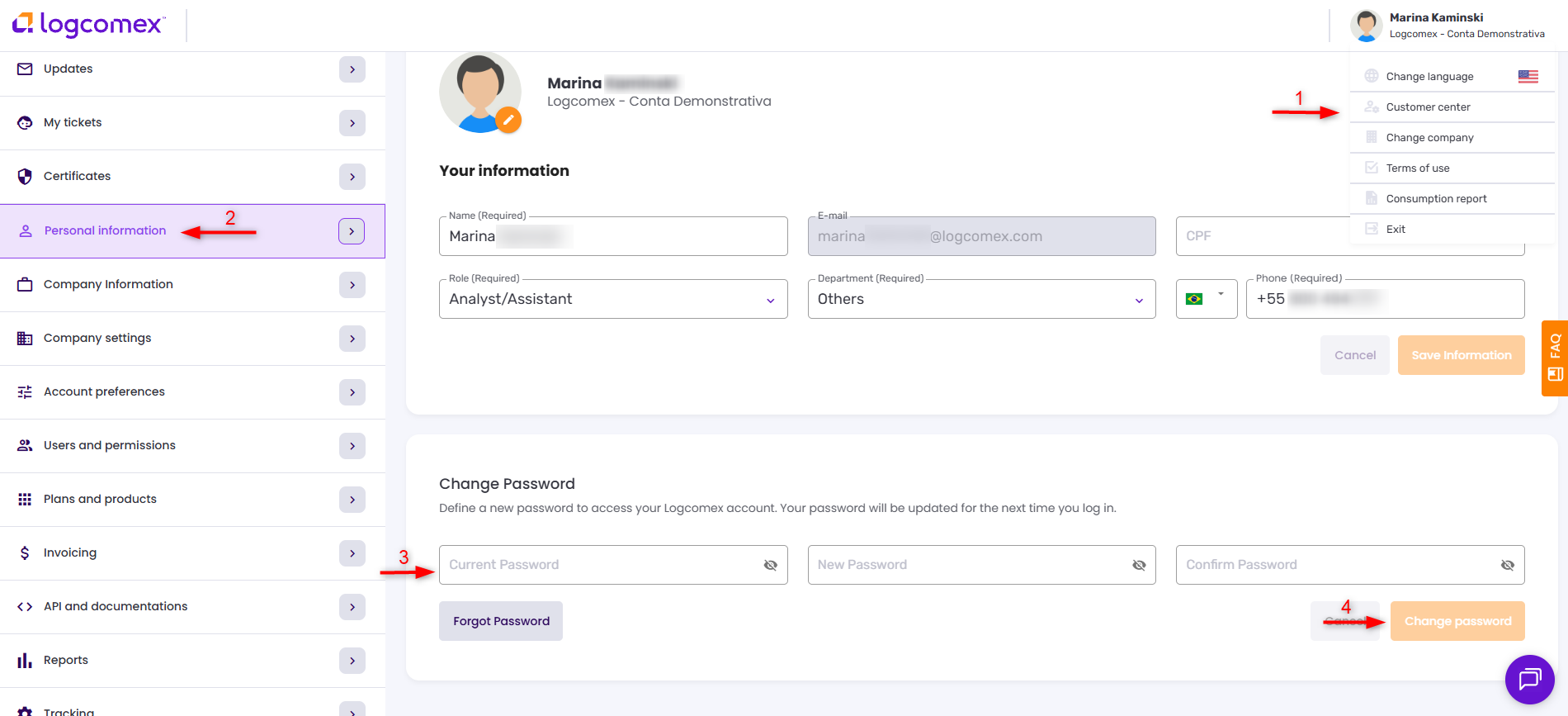
Click on your name in the top right corner of the screen and select Customer Center.
-
In the left side menu, click on Personal Information.
-
Scroll to the bottom of the page to find the password change section.
-
Enter your current password, the new password, and repeat the new password to confirm.
-
Click the Change password button.
New password requirements
For your security, the new password must contain at least:
-
1 number;
-
1 uppercase letter;
-
1 lowercase letter;
-
1 special character (e.g., @, #, $);
-
Minimum of 6 characters.