![256.png]](https://suporte.logcomex.com/hs-fs/hubfs/256.png?width=40&height=40&name=256.png)
To monitor your plan usage (number of searches performed, Excel downloads, or API requests), follow this path:
Step by Step:
-
Log in to the platform.
-
Click on your name in the top right corner of the screen.
-
Select the Consumption Report option.
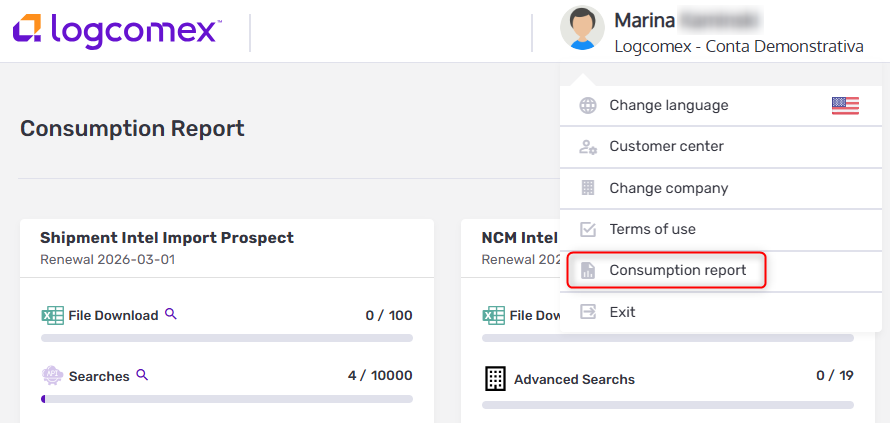
What you will find on this screen:
-
Current month consumption: The volume used so far and how much is remaining.
-
Renewal Date: We remind you that the balance resets and renews on the 1st day of every month.
⚠️ Important limitations:
-
History: The report displays data for the current month only. It is not possible to query detailed consumption from previous months via the platform.
-
Products: This report covers only Intelligence solutions (NCM Intel, Shipment Intel, Trading Intel, Port Shipment Intel).