![256.png]](https://suporte.logcomex.com/hs-fs/hubfs/256.png?width=40&height=40&name=256.png)
Export Mexico lets you analyze shipments leaving Mexico for the world. You can search by product, exporting company, importing company at destination, country of destination, or any combination of these filters.
Step by step for your first search:
- Access the Export Mexico product from the platform menu.
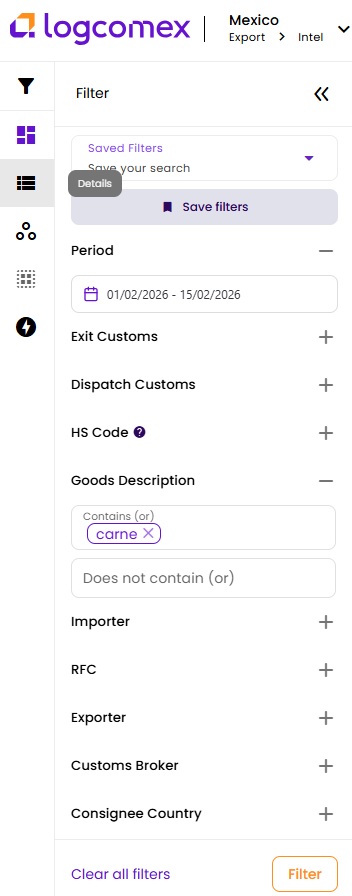
- Click Quick Access to Product to open the full filter panel.
- Select a time period — this field is mandatory.
- Choose how you want to start:
- By HS Code / Tariff Fraction: ideal if you already know the product code.
- By product name (description): search in Spanish, as the data is in that language.
- By Exporter or Importer: if you already have a company name.
- Click Filter and explore the results on the Dashboard.
- To see each operation in detail, access the Details tab.
💡 Tip: Start with 6 to 12 month periods to get a relevant data volume. Use Workspace to save your favorite analyses and share them with your team.