![256.png]](https://suporte.logcomex.com/hs-fs/hubfs/256.png?width=40&height=40&name=256.png)
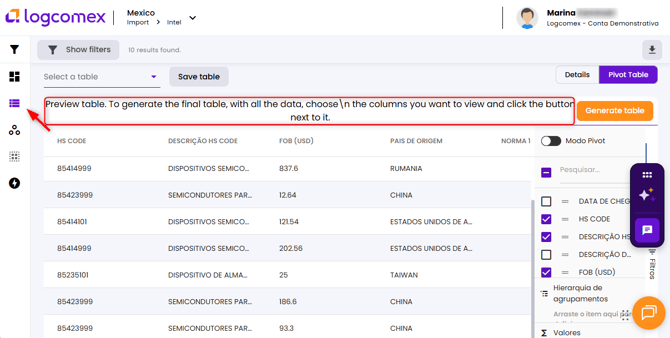
Import Mexico's Pivot Table works like an Excel file directly on screen, no download needed. You can group, sort, and cross-reference operation data in just a few clicks.
Step by step:
- Apply your filters as usual and access the Details tab.
- At the top of the details screen, click on Pivot Table.
- Drag the desired fields into the columns (e.g., Country of Origin, Exporter, Brand).
- Set your value metric (e.g., FOB USD, Weight in KG).
- You can save your table configuration to reuse it — look for the save option and name your view.
💡 Tip: Use the Pivot Table before downloading Excel to save your extraction credits. Many quick analyses can be done right on screen.